
Claude Cowork: AI-Powered Knowledge Work
Cowork brings Claude Code's agentic capabilities to Claude Desktop. Describe an outcome, step away, and come back to finished work - formatted documents, organized files, synthesized research, and more.
Cowork at a Glance
Key facts about Claude Cowork
Status
Research Preview
Active Development
Platform
macOS
Desktop Only
Access
Max Plan
$100/month
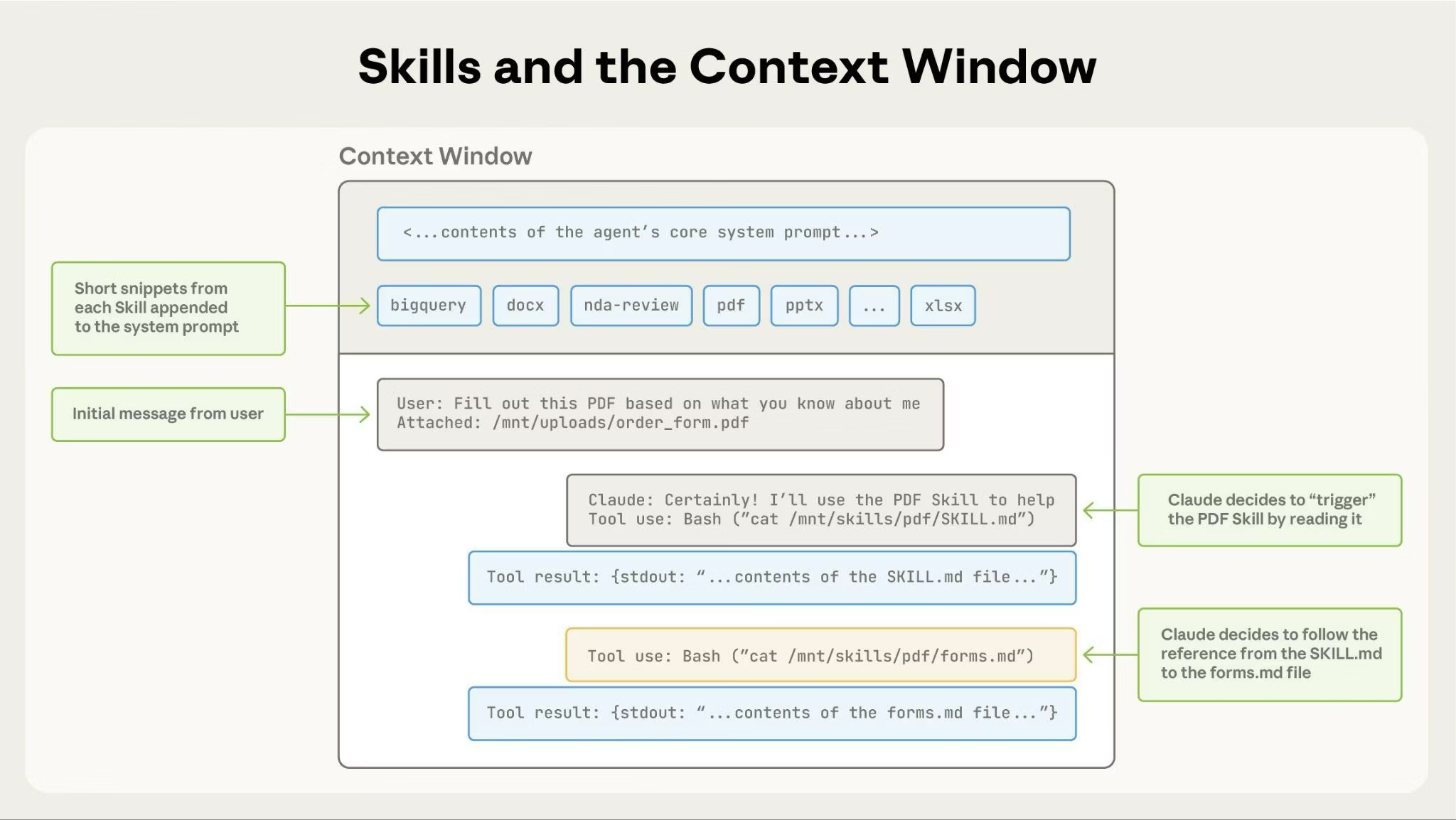
What is Claude Cowork?
Cowork is a research preview that brings Claude Code's agentic architecture to Claude Desktop for knowledge work beyond coding
- Direct Local File AccessClaude can read from and write to your local files without manual uploads or downloads. Work directly with your documents.
- Sub-agent CoordinationClaude breaks complex work into smaller tasks and coordinates parallel workstreams to complete them efficiently.
- Professional OutputsGenerate polished deliverables like Excel spreadsheets with working formulas, PowerPoint presentations, and formatted documents.
Get Started with Cowork
Start using Claude Cowork in 4 simple steps
Install Claude Desktop
Download and install the Claude Desktop app for macOS from the official website.
Switch to Cowork Mode
Look for the mode selector with 'Chat' and Cowork tabs. Click Cowork to switch to 'Tasks' mode.
Describe Your Task
Tell Claude what outcome you want. Be specific about the deliverables you need.
Review and Let It Run
Review Claude's approach, then let it work. Monitor progress or step away and return when finished.
Why Use Cowork?
Transform how you handle complex knowledge work with AI-powered automation
Key Capabilities
Everything Cowork can do to streamline your knowledge work
File Organization
Sort hundreds of files into categorized folders. Batch rename with consistent patterns. Clean up your Downloads folder automatically.
Research Synthesis
Combine information from web searches, articles, and notes into coherent reports. Extract themes and key points from transcripts.
Document Creation
Create slide decks from rough notes. Turn voice memos and scattered notes into polished documents.
Data Analysis
Outlier detection, cross-tabulation, and time-series analysis. Generate charts and visualizations from your data.
Spreadsheet Automation
Generate Excel files with working VLOOKUP, conditional formatting, and multiple tabs - not just CSVs that need fixing.
Receipt Processing
Drop receipts in a folder and get a formatted expense report. Automate tedious financial documentation.
Example Tasks
Real workflows that Cowork handles automatically
How to Access Cowork
Cowork is available as a research preview for Claude Max subscribers
Claude Max
Includes Cowork access
- Full Cowork research preview
- Extended task execution
- Local file access
- Sub-agent coordination
Requirements
What you need
- Claude Desktop app installed
- Active internet connection
- Max subscription active
- App must stay open during tasks
- Desktop for macOS only
What People Are Building
Real examples of how professionals use Cowork for knowledge work
Research Analyst
Research Synthesis
I use Cowork to synthesize information from multiple sources into comprehensive reports. What used to take hours now takes minutes.
Operations Manager
File Organization
Cowork organizes my team's shared folders automatically. It categorizes hundreds of files and maintains consistent naming conventions.
Finance Lead
Data Processing
Processing expense receipts and creating reports is now automated. Cowork generates Excel files with all the formulas already working.
Frequently Asked Questions
Common questions about Claude Cowork
What is Cowork?
Cowork is a research preview that brings Claude Code's agentic capabilities to Claude Desktop. Instead of responding to prompts one at a time, Claude can take on complex, multi-step tasks and execute them on your behalf.
How do I access Cowork?
Open Claude Desktop for macOS, look for the mode selector that includes 'Chat' and the Cowork tab, then click the Cowork tab to switch modes to 'Tasks'. Describe the task you want Claude to complete.
Is Cowork safe to use?
Cowork runs in a virtual machine (VM) on your computer for isolation. However, Claude does have access to local files you grant permission to. Review Claude's planned actions before allowing it to proceed, especially with sensitive files.
What are the current limitations?
Cowork is desktop for macOS only, no projects support yet, no memory across sessions, and the desktop app must remain open for sessions to continue. It's a research preview with ongoing improvements.
Ready to Transform Your Knowledge Work?
Start using Claude Cowork to automate complex, multi-step tasks. From file organization to research synthesis.